
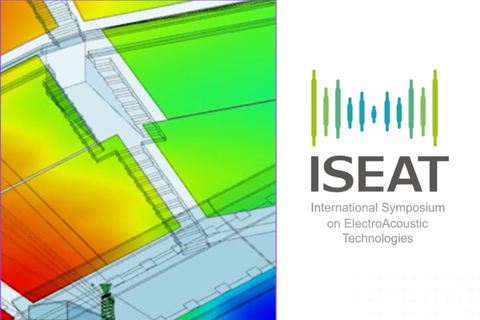

EASE has been vital to speech intelligibility design since the early ’90s, originally as a post-design evaluation tool. Many of us extended its use to explore electroacoustics, though meaningful iteration required inventive workflows and heavy setup.
Acousteer changes that. With real-time visual feedback on aiming, EQ, delay, and more, plus custom processing blocks, we now work as if we’re commissioning on site—only virtually. We can't hear it yet, but we can see the impact of every move, instantly and across the venue.
Ahnert Feistel Media Group
Located in Berlin, Germany, AFMG® Technologies GmbH has created the industry standards EASE and EASERA software for acoustic simulation and measurement as well as their related products EASE Focus, AFMG SysTune, EASE Address and EASE SpeakerLab.
In cooperation with our partner company SDA Software Design Ahnert GmbH we develop and distribute software for:

room-acoustic modeling

measurements

engineering and physics

simulation
Products
Latest News and Updates


EASE Address - Distributable installer for licensed manufacturers
EASEAddressSetupCD_v1.1.21.zip
Size: 11MB
Notes: This installer is intended to be used for the re-distribution of EASE Address and does not include any data files. Data files to be installed must be placed in the /data/ subdirectory. All files from this directory will be copied to the System Definitions directory of EASE Address during installation.
How to Handle User Key Download and How to Resolve Issues
AFMG Licence Manager – User Key Handling and Trouble Shooting.pdf
Comments:
This document explains the download of User Keys via AFMG Licence Manager and the procedure in case your computer does not have direct internet access or your security settings do not allow the direct download of the User Key.
How to Resolve EASE License Key Download Problems
EASE-Online-License-Problems.pdf
Comments:
This document helps licensing EASE if your computer does not have direct internet access or your security settings do not allow the direct download of the license key file
How to Update to EASE 4.4 from an Earlier Version
Update EASE or EASE JR to Version 4.4.pdf
Comments:
This step by step description will help you to upgrade to EASE 4.4 from an earlier version of EASE flawlessly.
EASE 4 Tutorial
We recommend our EASE Tutorial to every user looking for a comprehensive introduction to EASE. An update of the tutorial to EASE 4.4 is currently in preparation. In the meantime, please use the version below. As an introduction, no substantial differences are to be expected.
EASE 4.x OpenGL Check Utility
Comments:
This can check the OpenGl compliance of your computer / graphics card / display drivers.
This version allows you to switch between software and hardware accelerated modes to clearly show hardware acceleration driver problems.
Additionally this tool allows you to read and save the OpenGL configuration for EASE.
 Paul Malpas, Acoustic Consultant
"EASE 5 is a big step forward. The completely new user interface combined with lots of useful tools and further improved simulation modules allow for much more intuitive and effective workflows."
Jannik Enders, Akustik Bureau Dresden
“We are currently using EASE 4 in our company and I must say I'm very happy with the changes in EASE 5. The workflow is much faster and more intuitive.”
Jeroen Geraerts , Solufak BV
“EASE 5 provides swift simulation preparation, seamless integration with SketchUp, and visually stunning results, which make it perfect for creating high-quality reports. Its user-friendly design ensures a seamless experience for beginners and professionals, making it a valuable asset for your acoustic simulation needs.”
Luis Pique, PK and Associates LTD
“EASE 5 is a game changer offering easy to use, intuitive tools and modern workflows. Not only is the ability to import a 3D DWG into EASE 5 out of Vectorworks Spotlight a huge time-saver, but it keeps the consistency throughout all of my engineering programs and allows me to deliver stunning visual content of acoustics and loudspeakers analysis alike, in both 2D and 3D, that every one of my clients can easily understand.“
Brad Lyons, HOWAVL
“Thanks to the AFMG Team for being “agile” with this new version of EASE. It’s reassuring to see that AFMG is taking the user’s feedback into account and continuously upgrades its software with top voted remarks. There has been a lot of new upgrades in few months since the first version that I get, and everything is going on the good direction!”
Maxence Castelain , Arbane Group

“Congratulations to the AFMG team for excellent work on EASE 5 so far! The new technology and approach is highly appreciated, visualization and UX is great!”
Janko Vodopija, MODO d.o.o.
“EASE 5 makes it easy to create audience areas and align loudspeakers. You can easily orientate yourself in the model at any time, which not only helps when working on the project but also enables a clear presentation for customers.”
Melanie Ziska, SAVE audio solutions,
“We’re happy to rely on EASE 5 as efficient tool for standard-conform STI and RT calculations. This is how we support the technical planners and architects in an efficient and cost-saving way.”
Benedikt Kühle, Ingenieurbüro Ostendorf & Partner GmbH & Co. KG
“EASE 5 greatly simplifies the process of creating and navigating around a 3D model. I was able to quickly learn the new interface and create predictions to help us design a system, and help the customer visualize the end-product.”
Kylan Bowden, Canfield Systems Inc.